
Online sellers
Bill bulk and repeat orders, and match each transfer to its invoice.
A clean invoice in a minute. Your client opens the link, pays, and uploads the receipt for you to confirm.
Takes a minute. You'll add your business details next.
From quote to money in the bank
Quote
Send a quote and turn it into an invoice once it is accepted.
Invoice
Send it on WhatsApp or email with a link to pay.
Payment
The client pays and uploads proof; you approve it.
Reports
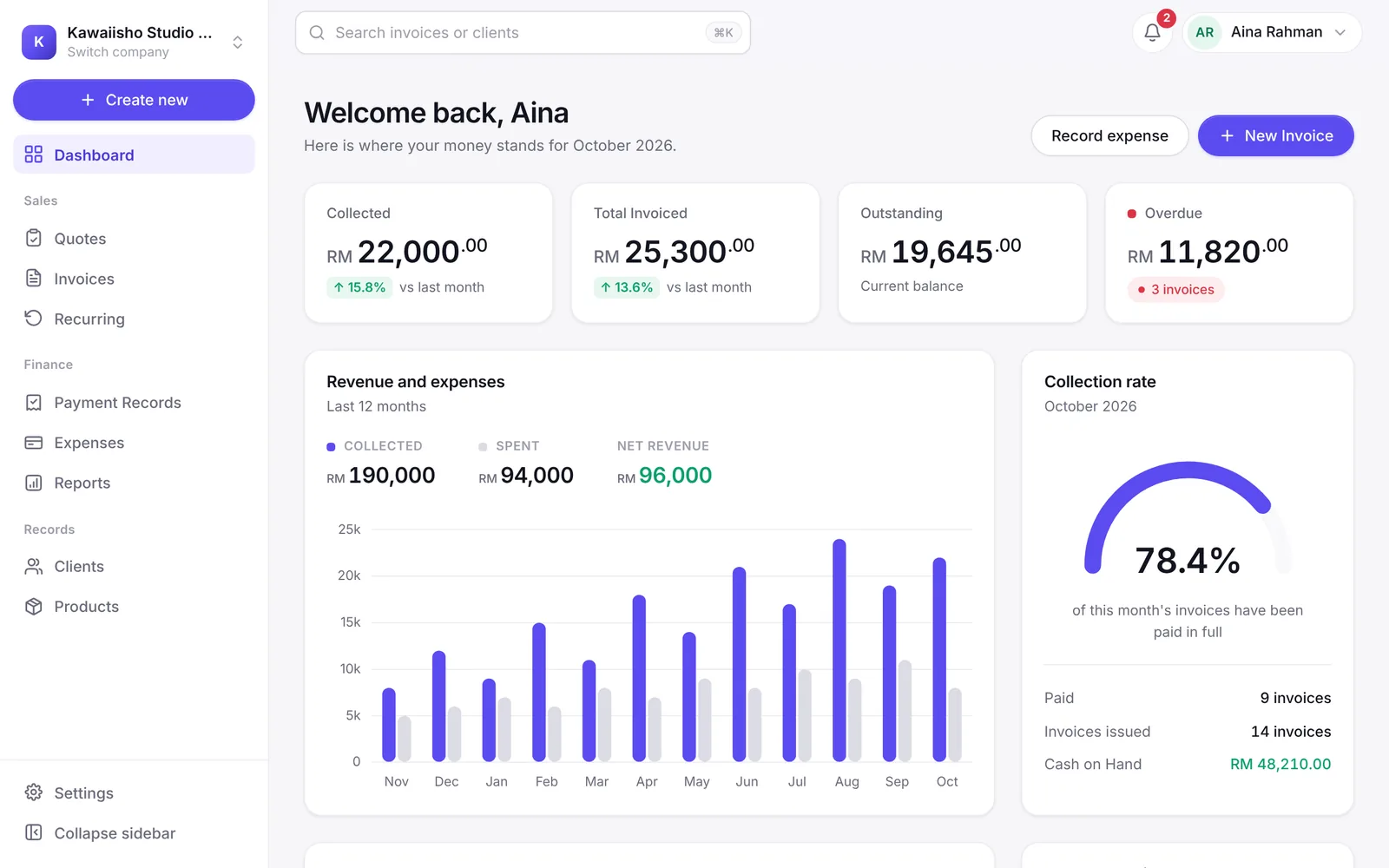
See collections, money owed and expenses on your dashboard.
Who it's for
If your clients already message you there, Invoixe fits how you work.
Bill bulk and repeat orders, and match each transfer to its invoice.

Invoice catering and corporate orders, and see who still owes you.

Send the invoice before the customer leaves, and take DuitNow on the spot.

Quote first, turn it into an invoice, and bill retainers every month.
What your client sees
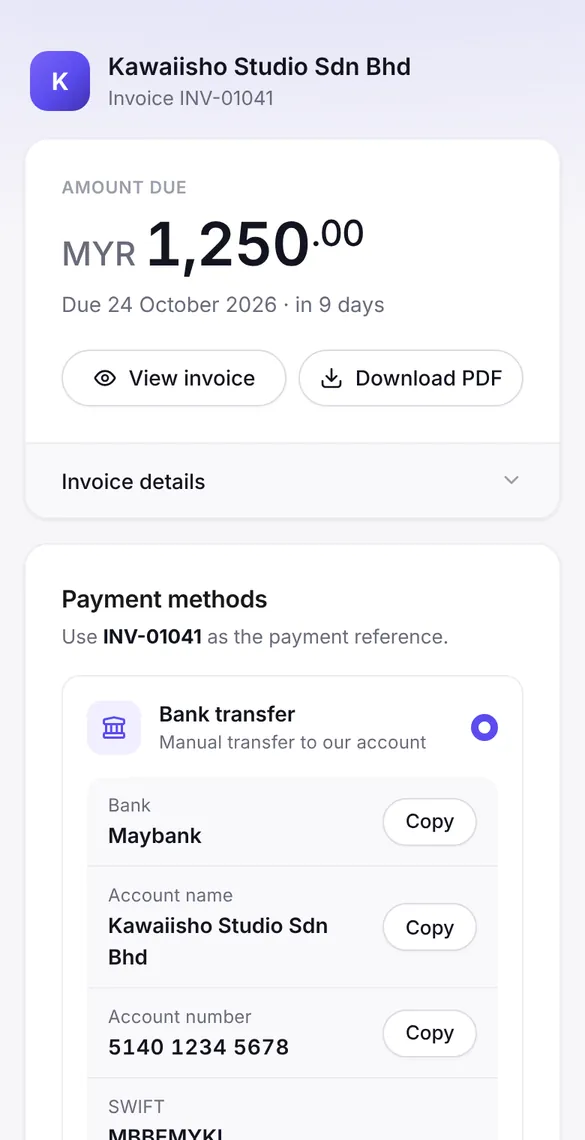
Every invoice gets its own link. Your client needs no app and no login.
Amount and due date first
Your client sees what to pay, and by when, before anything else.
Bank details in one tap
Bank, account number and reference each have a copy button, next to your DuitNow QR.
Receipt lands on the invoice
Your client uploads the receipt on the same page, and you confirm it from the invoice.
Features
One place for invoices, payments, clients and reports.
Share invoices on WhatsApp or email. Clients open a link and see the full invoice, no sign-in needed.
DuitNow QR, bank transfer or your own payment link, right on the invoice.
Clients upload a receipt on the pay page. You review and approve it from the invoice.
For retainers and subscriptions, set it up once and invoices go out on schedule.
Collections, outstanding balances, receivables ageing and expenses on one dashboard.
Pick Classic, Modern, Corporate or Bold. The online invoice and the PDF follow your choice.
Quotes
Convert an accepted quote into an invoice in one click.
Expenses and notes
Track expenses, debit notes and credit notes.
Clients and products
Save details once and reuse them on every invoice.
Client sign-up form
Share a link so clients fill in their own details.
Multiple companies
Run several companies from one account.
AI assistant
Connect Claude over MCP and manage invoices by chat.
Malay and English
The app and your invoices in either language.
Dark mode
Comfortable to use by day or night.
How it works
Add your company details, logo, bank account and DuitNow QR.
Pick a client and products; the live preview shows exactly what they will see.
Send it on WhatsApp or email and follow it until it is paid.
FAQ
Quick answers about invoices, payments and settings.
Select Create account and enter your name, email and a password, then your business details. If you already have an account, sign in from the top of this page.
Yes. Upload your DuitNow QR in settings and it appears on the pay page of every invoice, next to your bank details.
By email or WhatsApp, straight from Invoixe. Every invoice also has its own online link and a PDF.
Yes. Choose Bahasa Melayu or English for your invoices in document settings.
Yes. There are four designs, Classic, Modern, Corporate and Bold, and each one carries your logo and company details.
Yes. Switch between companies from the menu at the top of the sidebar.
Record it on the invoice yourself, whether cash, cheque, card or transfer, and the balance due updates.
Create your account and send your first invoice today.